Back To Projects
Back To Projects

ChatGPT

Improving Chat Organization on ChatGPT through Dual Workspaces, Labels, Pins & Bookmarks, Smart Suggestions, and Advanced Search

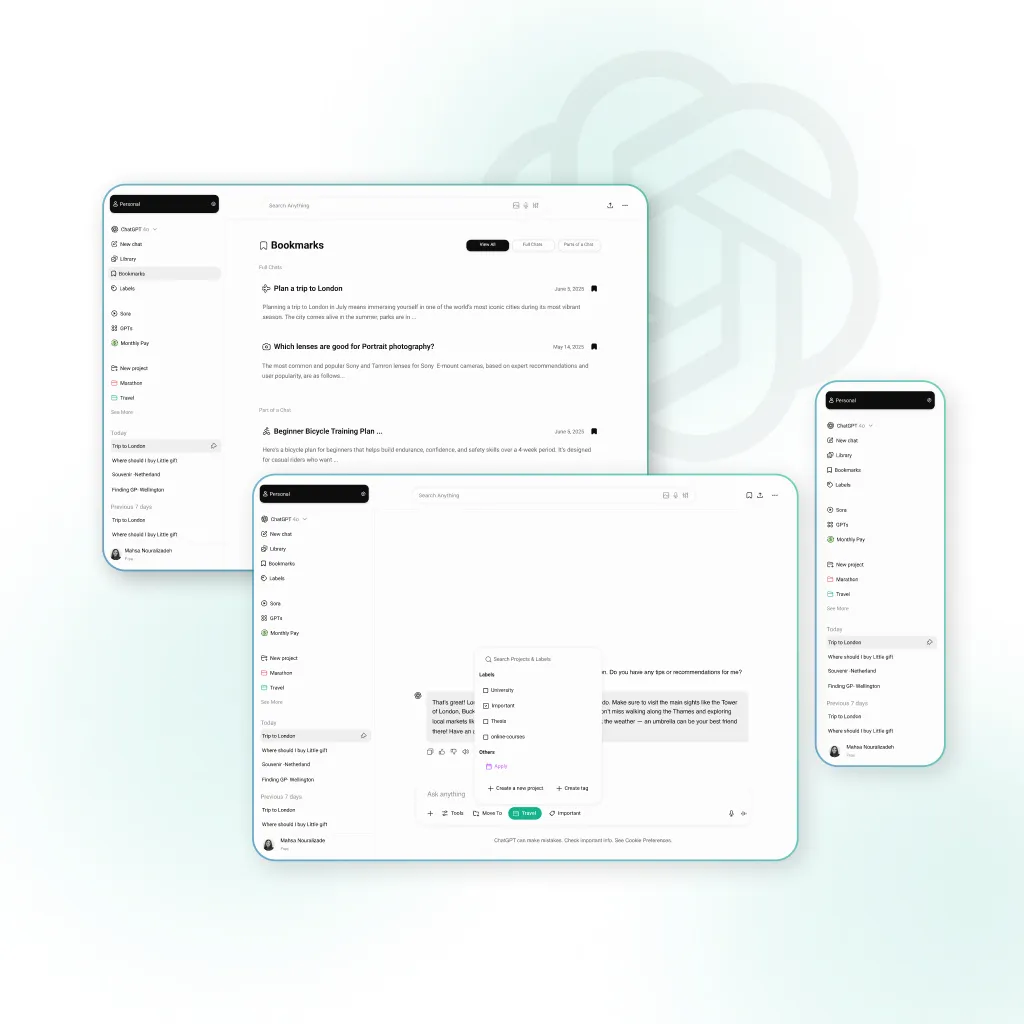
Chatgpt screens
Purpose

Improving Chat Organization on ChatGPT through Dual Workspaces, Labels, Pins & Bookmarks, Smart Suggestions, and Advanced Search

my role icon
MY ROLE

UX Research,
Information Architecture,
Interaction & UI Design

tools icon
TOOLS

Figma, FigJam,
ChatGPT, Freepik,
Adobe Illustrator

methodes icon
Type of work

Case Study – AI Productivity
Team Project (2 People)

summary image
Summary

We’ve all been there, scrolling endlessly to find that one helpful ChatGPT conversation.
As ChatGPT becomes part of users’ daily routines, conversations pile up fast. Without a clear structure, revisiting past chats becomes frustrating. Many users resort to screenshots, notes, or external tools just to keep track.
This raised a key question for us :
How can we turn ChatGPT into a space that feels personal, searchable and organized?
This case study explores how smarter chat history, through better search, structure, and personalization, can help users stay on track and actually reuse their conversations.

The Problem Statement

"If I can’t find an old chat, I just start a new one, it’s faster."

While users appreciate ChatGPT’s helpful responses, they struggle to revisit important conversations. With no clear system to organize or recall past chats, things quickly become messy.
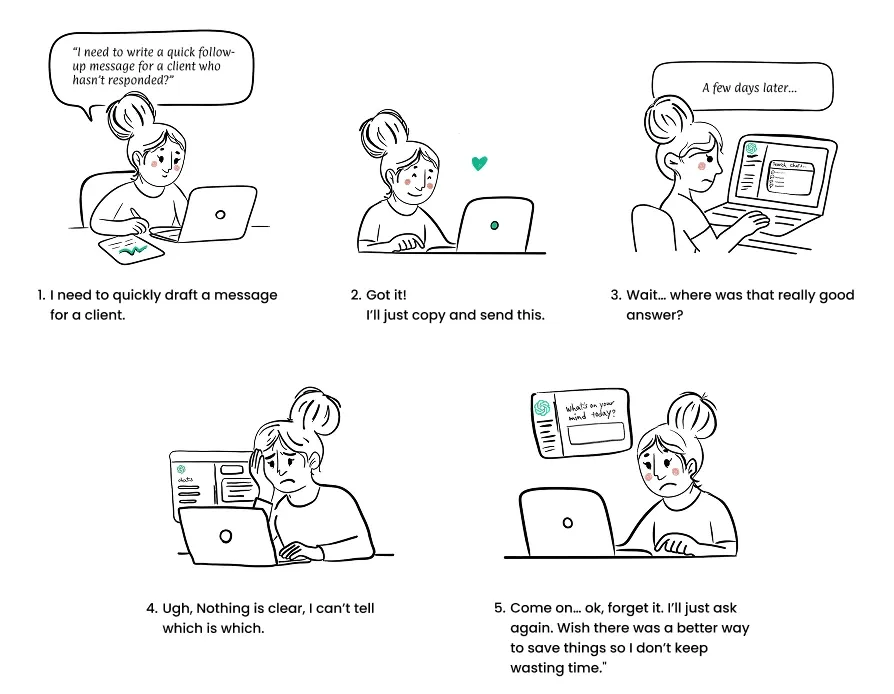
Story board image
Discover & Research

Same Struggle, Everywhere: From Users to Forums
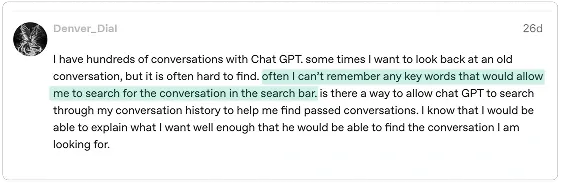
Problem screen

Across platforms like Reddit and Trustpilot, users consistently report struggling to find, organize, and share past chat.
Interview 01
Interview 01
Interview 03

"I created two separate accounts, one for work stuff, one for personal use."

"Search only works if I remember exactly what I typed. If not, I just scroll forever or give up."

"Sometimes I want to share just one part of a conversation, but I have to copy the whole thing."

"I usually copy useful answers to a Word doc or Telegram so I can find them later."

Search icon
Search Doesn’t Think Like Users Do

Users avoid search not because it’s useless, but because it doesn’t match how they think, so they scroll or just start over.

Workspace icon
Users Want to Separate Work and Life

Users switch between personal and work use. Sometimes with two accounts, highlighting the need for workspaces, labels, or profiles to manage different contexts.

share icon
Sharing Shouldn’t Be This Hard

When users can’t easily save or share parts of a chat, they rely on slow workarounds like copy-paste. Simple tools for organizing and sharing would make ChatGPT far more useful, especially for collaboration.

icon lampe
Hacking the Title

Users “hack” chat titles by wording first messages carefully or leaving them as-is, showing the need for better tools like tags, folders, or custom titles to organize growing chat history.

Persona

Inside the Minds of Our Users

While users appreciate ChatGPT’s helpful responses, they struggle to revisit important conversations. WTo design a more organized and reusable chat experience, we explored how different types of users interact with ChatGPT. Whether they were task-focused or spontaneous, all faced a common challenge: keeping track of valuable information across conversations.ith no clear system to organize or recall past chats, things quickly become messy.
daniel persona

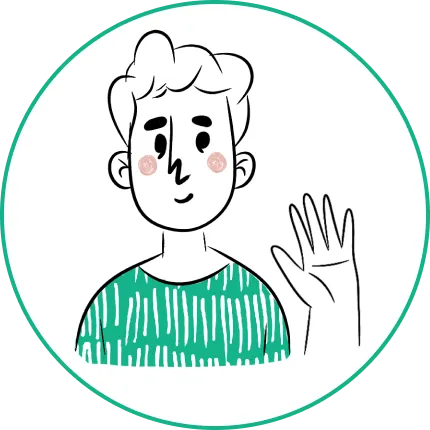
Daniel –
The Multitasker

35 | Office employee

If I got a good answer, I should be able to find it later, not waste time asking again.

He uses two accounts for work and personal use but doesn’t rename chats, making it hard to keep track. Helpful responses are sent to Telegram or pasted into notes, yet he often rewrites prompts because old ones are hard to find. With a cluttered chat history and no way to share just part of a conversation, he needs separate spaces, filters, and a way to bookmark or highlight key messages.
Lena persona

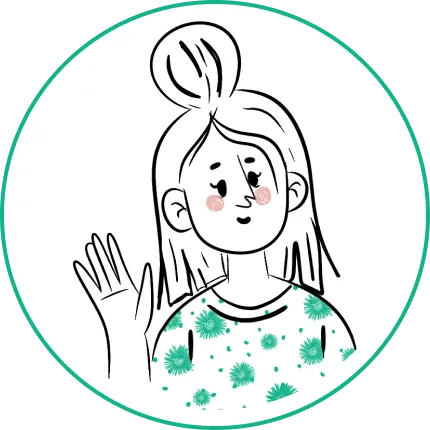
Lena – The Spontaneous Doer

28 | Salesperson

GPT gives great answers, but I wish it were easier to go back to something I saw before.

She uses mainly for personal tasks and deals with them in the moment. She relies on intuition and usually starts a new chat rather than revisiting old ones. When something is useful, She takes a screenshot or copies the content. However, she often struggles to find past responses, scrolling takes too long. She uses tools as needed, without a long-term plan. She needs a quicker, more reliable way to save and access important content.

Competitive Analysis

What Others Do Well And Where AI Chats Still Fall Short

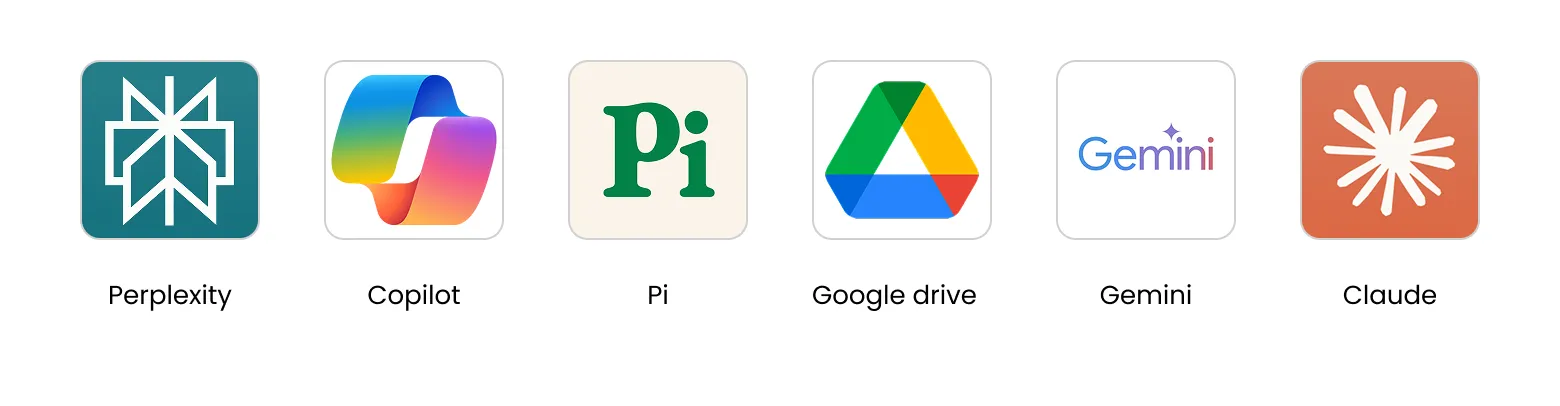
We compared ChatGPT with other AI Chatbots and productivity tools to see what features they’ve nailed and where they still struggle. This helped us identify inspiration points as well as clear opportunity gaps.
Competitive Analysis
icon lampe
Where Others Shine

Apps like Gemini, Poe, and Coda Ai are already tackling organization by offering:
Privacy-first sharing (customizable link permissions)
Pinned chats (keep key threads front and center)
Clean timelines (simple browsable history even in free versions)

icon lampe
Where Everyone Loses Track

Most AI chat tools like ChatGPT, Claude, and Copilot are fast but unstructured:
No folders or grouping to structure projects
Poor in-chat search, so old insights get lost
Limited chat management, making long-term work a mess

Design Decision Matrix

Structure Without Overhead

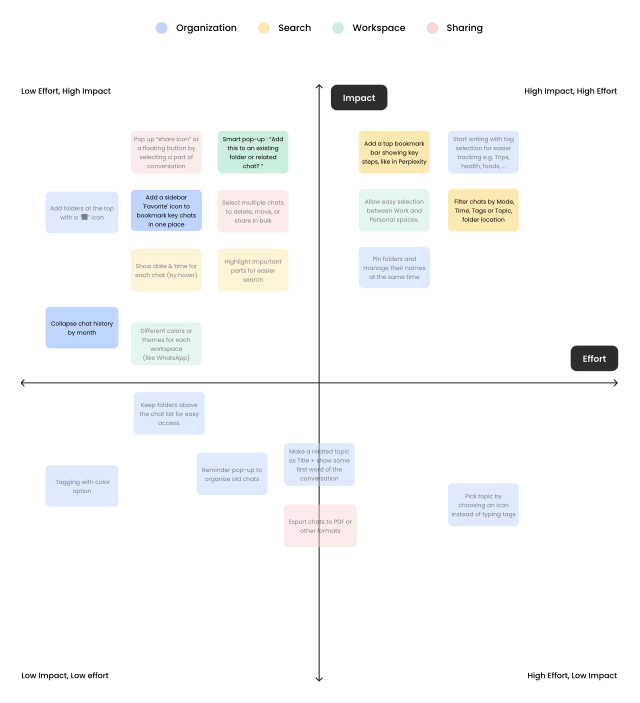
We mapped dozens of ideas and prioritized them by impact and effort. “Our goal was simple: give users lightweight ways to stay organized, without adding complexity.”
Design Decision Matrix
We implemented four core features:

These solutions were grounded in user needs but designed to blend into existing flows,
not disrupt them.

Workspace icon

Dual Workspaces

Problem it solves: Mixing personal and work use .
What we did: Let users to switch between customizable spaces like “Work” and “Personal” .
Why it matters: Reduced context-switching and helped users stay mentally organized .

Bookmark system

Label , Pin and Bookmarks System

Problem it solves: No grouping, visual clutter 
What we did: Enabled folders with optional tags or colors.
Why it matters: Gave users a simple way to define their own organization model.

smart icon

Smart Suggestion

Problem it solves: Users forget to organize at the right time .
What we did: Smart Suggestions like “Move this to a folder?” after a good response.
Why it matters: Encouraged habit-building without interrupting the flow.

Search icon

Advanced Search

Problem it solves: Users struggled to find past chats because the search bar was hidden in the sidebar and lacked useful filters.
What we did: Moved search to the top and added filters for time, tags, projects, and image search.
Why it matters: Makes search easier to find and more powerful, helping users locate past chats quickly.

From Ideation to Prototyping

Final Design

Making Chat History Work for Users

We redesigned the ChatGPT experience to improve organization, navigation, and context.These screens highlight features like workspace switching, bookmarks, pins, labels, and smart suggestions that help users group conversations by project, space, or tag—turning scattered chats into a structured, reusable experience.

Workspace Enabled Sidebar for Multi-Context Use

To help users manage both personal and work chats, we introduced switchable workspaces in the sidebar. By default, users can toggle between Personal and Work spaces as needed.We also enabled:Custom workspace management: Rename, recolour, archive, or remove spaces. This sidebar redesign gives users clarity, separation, and control, making it easier to stay focused in multi-context scenarios.

Smart Suggestion: Move to Project

Problem

Users often forget to organize chats in the moment, leading to clutter and lost context. Without suggestions, important conversations remain scattered and hard to retrieve.

Solution

To reduce clutter and improve findability, we introduced a smart suggestion that detects when a chat fits a project, tag, or space and suggests organizing it instantly. This helps users quickly assign chats, create new categories, and stay organized without breaking their flow.

Advanced Search

Problem

The original search function was difficult to locate and lacked the advanced tools users needed to find past chats efficiently. Without filters or control over results, users struggled to search by time, project, or content type.

Solution

The search bar is now placed at the top of the app for better visibility. Filters for time, project, tags, and attachments have been added, along with image search, allowing users to upload a screenshot to quickly find the right conversation.

Bookmark with Intention

Problem

Important info often gets buried in long chats. Without a flexible way to save or manage key points, users waste time scrolling or re-asking GPT. And without easy removal, saved content can pile up and become messy.

Solution

A smart bookmarking system lets users save full chats or highlight specific messages. Multiple bookmarks can be managed in one place, and removed anytime, keeping things clear, focused, and easy to return to.

Pin What Matters

Problem

While bookmarks help save specific messages and labels organize chats by topic, users also needed a simple way to keep entire important conversations visible at a glance.Pinning keeps key conversations fixed at the top of the chat list for instant access and can be unpinned anytime to reduce clutter.

Solution

A smart bookmarking system lets users save full chats or highlight specific messages. Multiple bookmarks can be managed in one place, and removed anytime, keeping things clear, focused, and easy to return to.

Lessons

What we learned

GPT has become a daily utility, like a digital desk, so users should be able to stay in one space where both personal and work needs are met. Our goal was to support that without adding friction.One of the biggest challenges was balancing simplicity with flexibility. Users wanted better ways to organize chats, but too many features risked more clutter. If I were to revisit this project, I’d invest more in usability testing to better understand how users manage clutter after the redesign, ensuring the new features deliver on their promise of simplicity and clarity.